


.webp)
MSCP Heat Management Solutions operates in the oil, gas, and mining sectors, delivering large-scale industrial services across complex project environments.
Origin
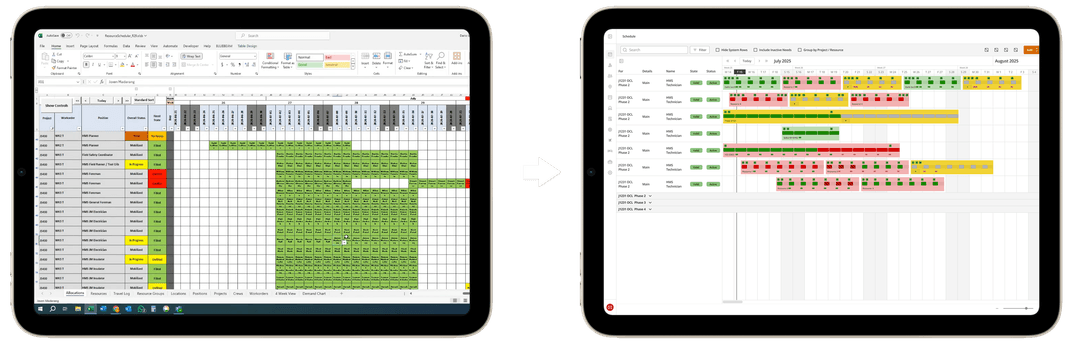
MSCP was managing scheduling through a large Excel workbook, with related data spread across Procore and Microsoft Azure. As projects became more complex, the spreadsheet required increasing manual oversight to manage shift patterns, certifications, travel, and resource allocation. It worked, but it was fragile and difficult to maintain. The team was spending more time managing the tool than managing the work itself.
Problem Solved
The core issue was not visual design. It was structure. MSCP needed a centralized system that could support recurring shifts, resource allocation, and compliance requirements without relying on manual checks. Scheduling involved layered dependencies between projects, roles, certifications, travel, and availability. The goal was to design a system that made these relationships explicit, reduced manual coordination, and surfaced conflicts clearly.
My Role
I served as Lead Product Designer on the project. I facilitated discovery workshops, interviewed key user groups, defined MVP scope with the PM, designed the information architecture and core workflows, and created interactive prototypes for validation. I also established a component-based design foundation to support development and documented requirements in GitLab to keep design and engineering aligned.
Team
Product Manager, Frontend Developer, Backend Developer
Timeline
September 2024 - May 2025
Gaining Alignment
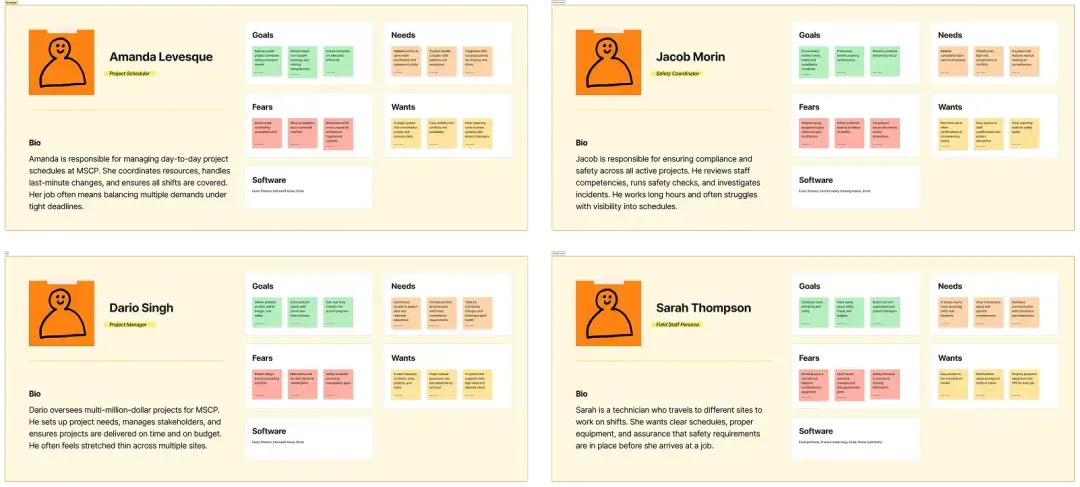
To understand the problems, I interviewed schedulers, project managers, safety coordinators, and field staff. Each group had their own challenges:
- Schedulers faced the brunt of Excel’s limitations, manually handling double bookings, travel arrangements, and competency checks.
- Project managers needed better visibility across client → site → project hierarchies and clearer tools for tracking progress.
- Safety coordinators wanted proactive alerts about certification expirations and compliance gaps.
- Field staff lacked autonomy and clarity around their schedules, often learning about changes too late.
From these sessions, I created personas, user stories, and user flows to capture needs. We then mapped features into an MVP that focused on three main areas: managing resources, setting up projects, and building schedules.
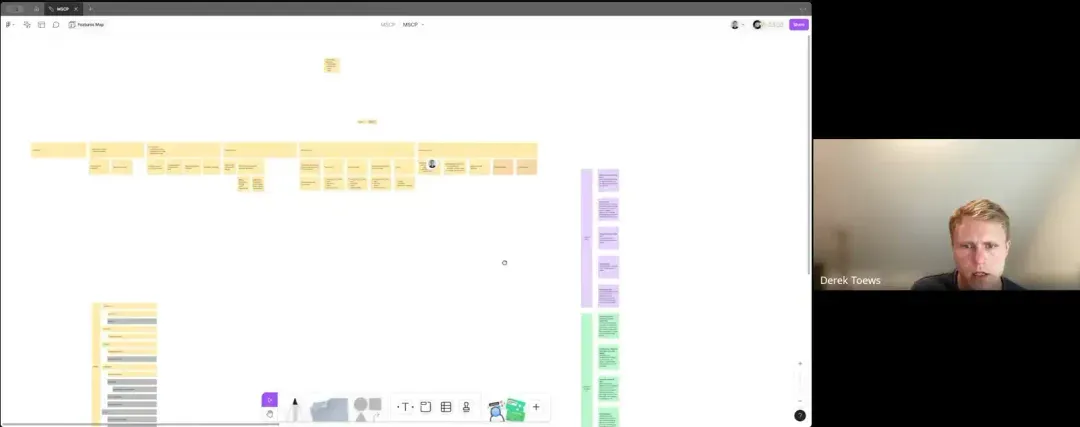
Workshop session with MSCP stakeholders
Personas capturing the goals and challenges of schedulers, project managers, safety coordinators, and field staff
Defining the Problem
To guide the design, I pulled out four insights that became our goals for the project:
Simplify complex scheduling
Excel couldn’t handle recurring patterns, exceptions, or conflicts.
Ensure compliance visibility
Safety coordinators couldn’t see when certifications or training expired.
Centralize data
Information was scattered across Excel, Procore, and Azure.
Enable scalability
Existing workflows were too manual and couldn’t grow with the business.
Systems Diagram
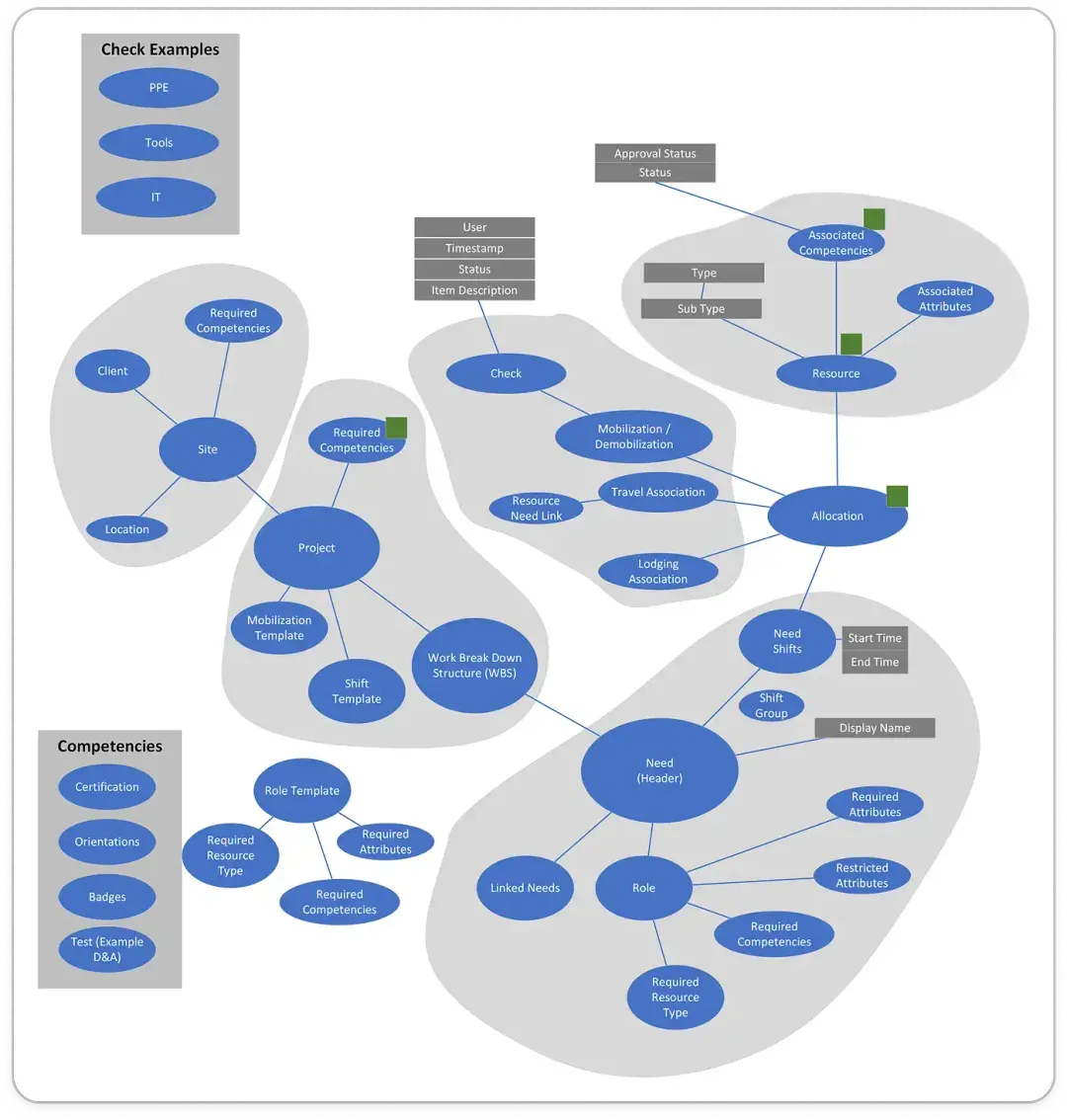
Before visual design, I structured the information hierarchy around how MSCP actually thinks:
Client → Site → Project → Need → Shift → Allocation
This mirrored their mental model and reduced adoption friction.
Figma Iterative Design
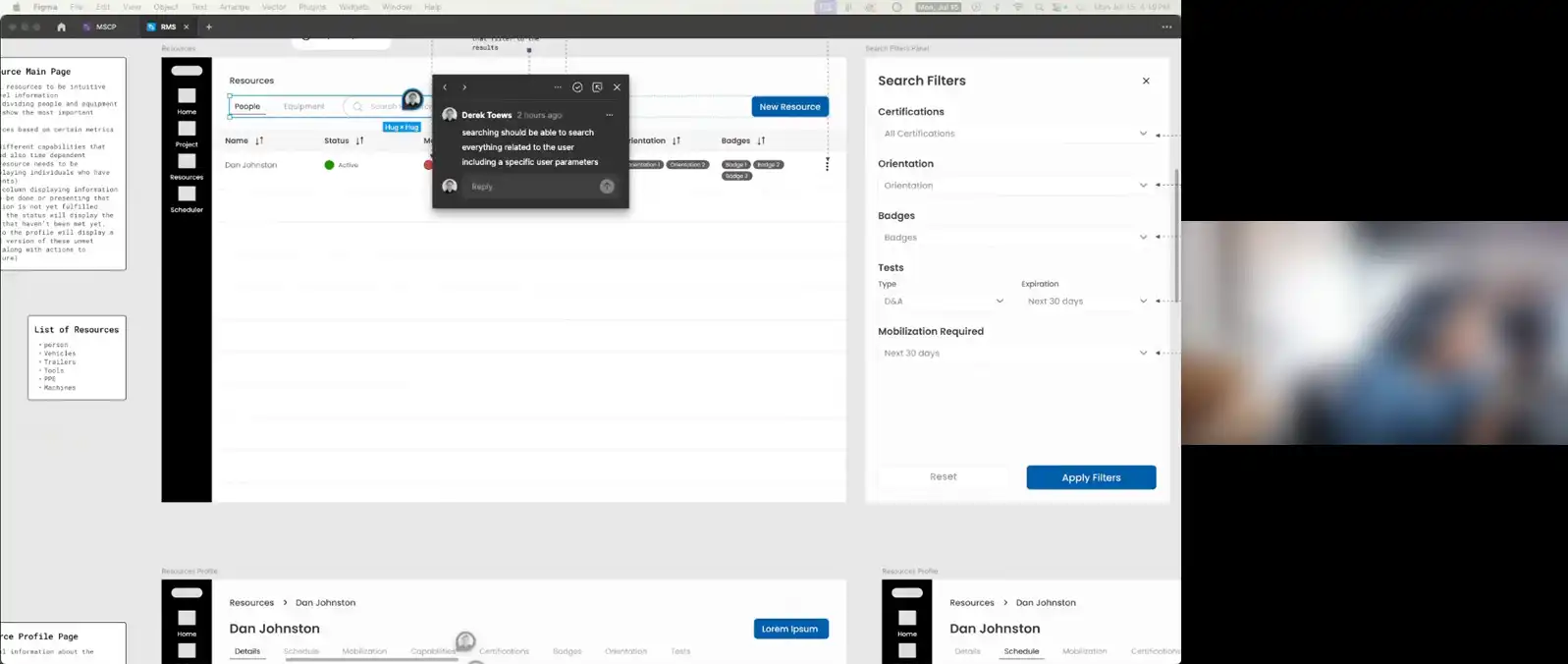
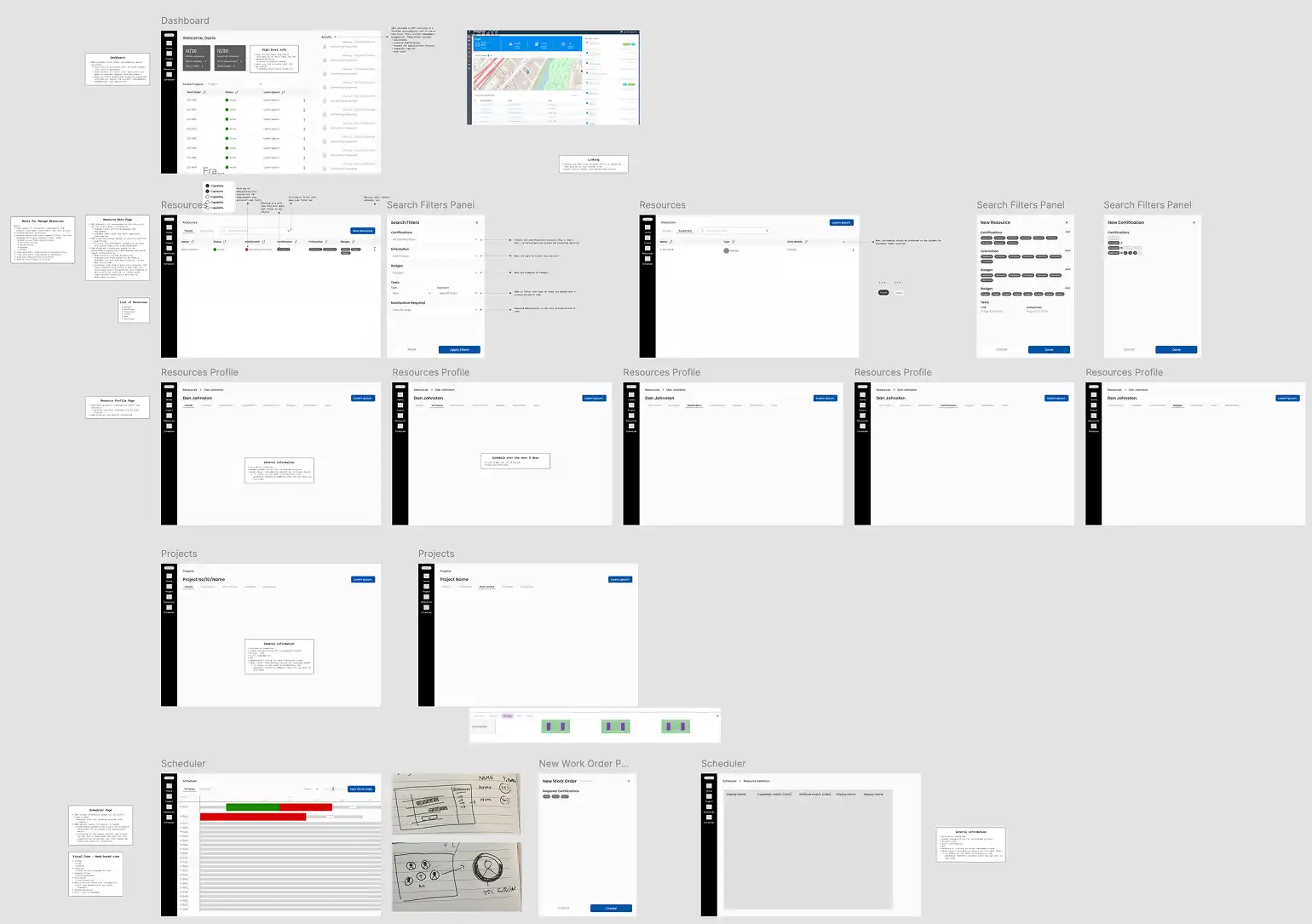
In Figma, I created wireframes, sitemaps, and a design system. The platform was structured around MSCP’s actual workflow: clients, sites, projects, needs, and shifts. This matched how project managers and schedulers already thought about their work and addressed the need to centralize project and resource data.
User Stories
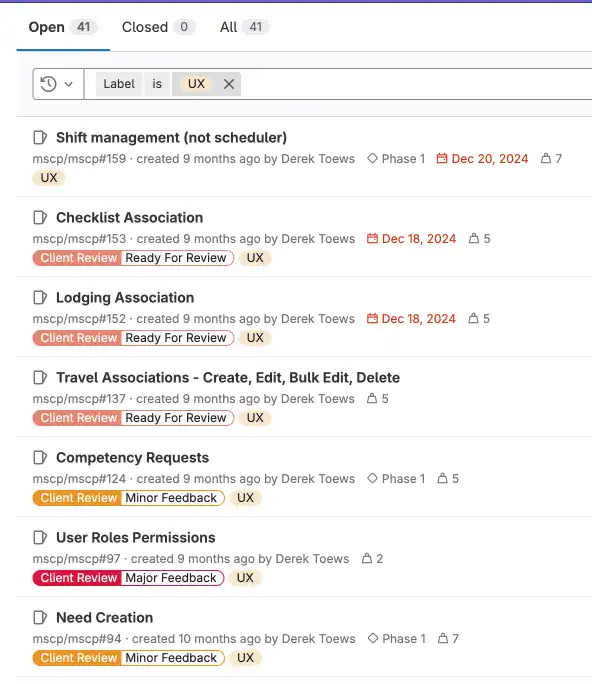
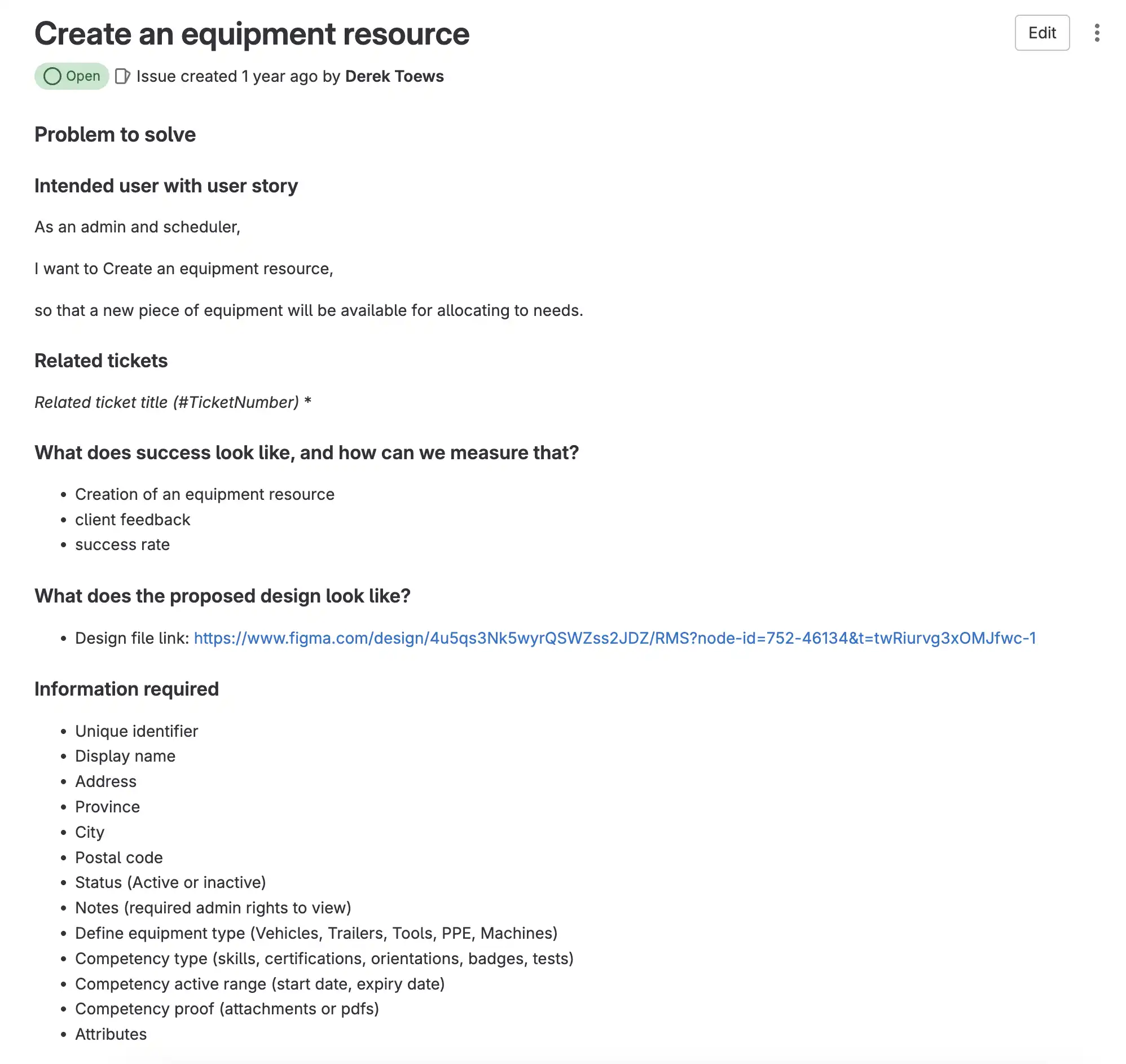
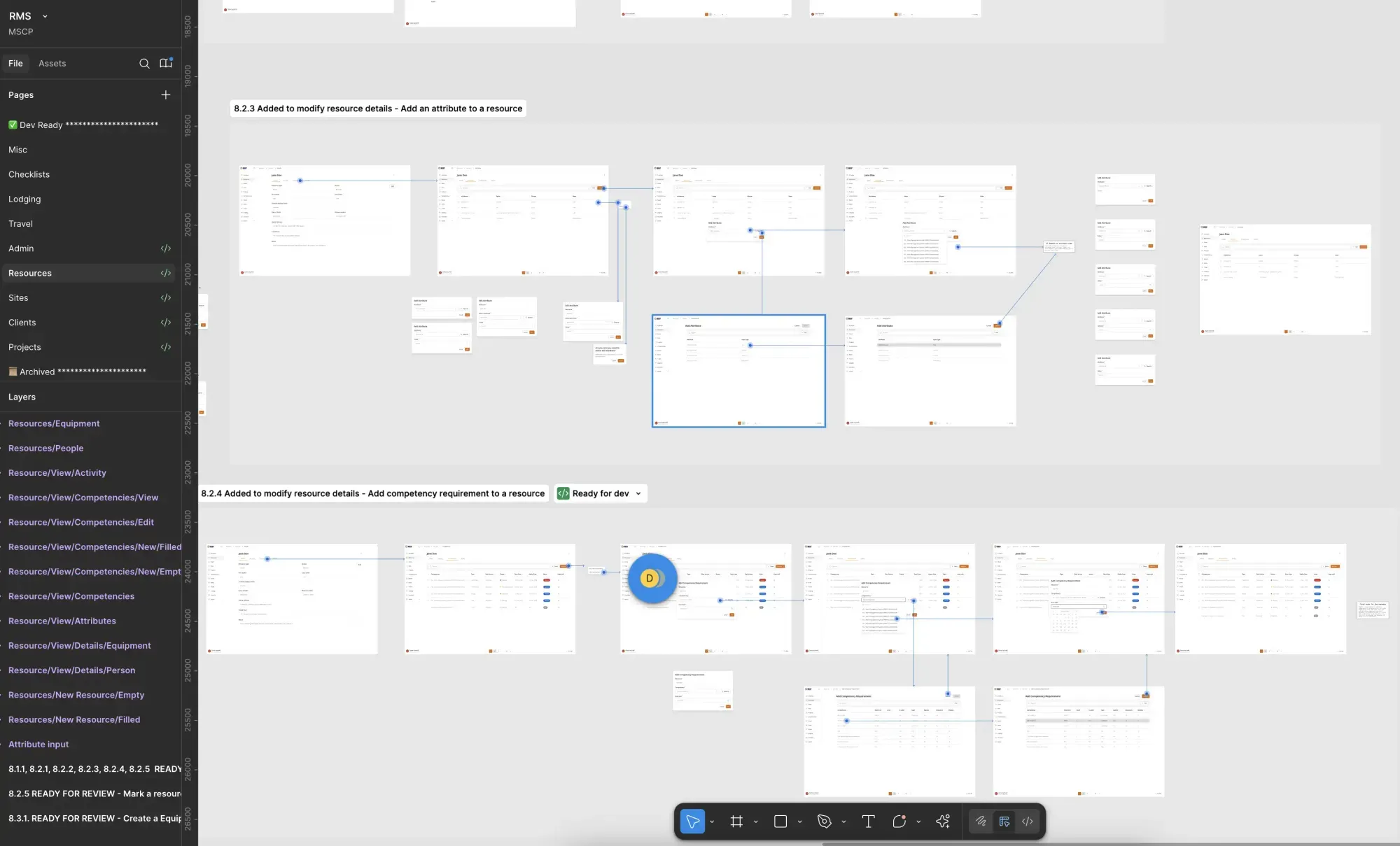
Each user story was turned into a flow and documented in GitLab. This kept design and development aligned and ensured every feature had clear requirements.
Scheduler
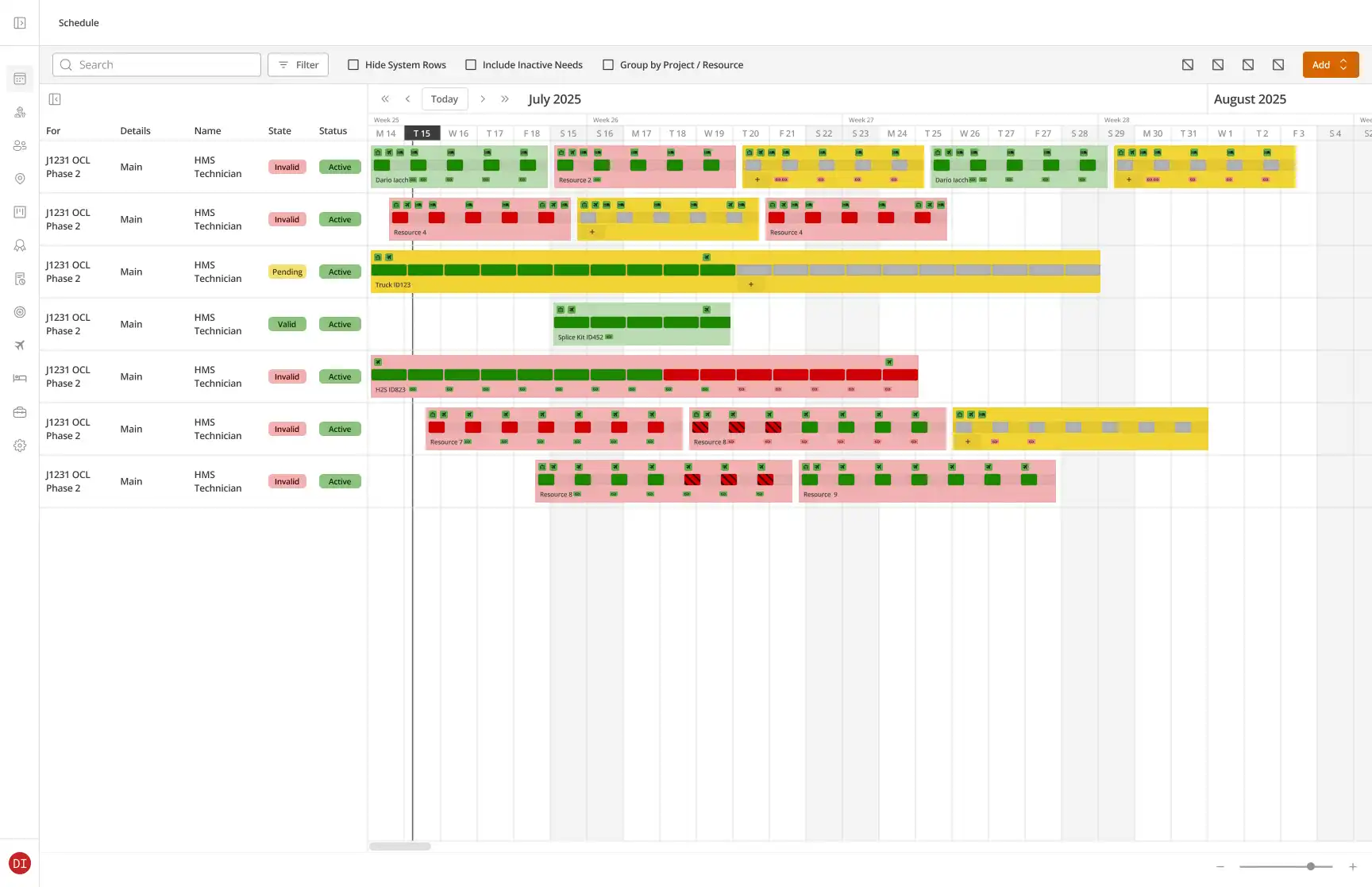
The Scheduler view was the heart of the platform and the most visual part of the design. We built it like a Gantt-style calendar. Schedulers could drag across the timeline to add need rows, shift groups, and shifts. Each level carried its own requirements for competencies, travel, lodging, and mobilization.
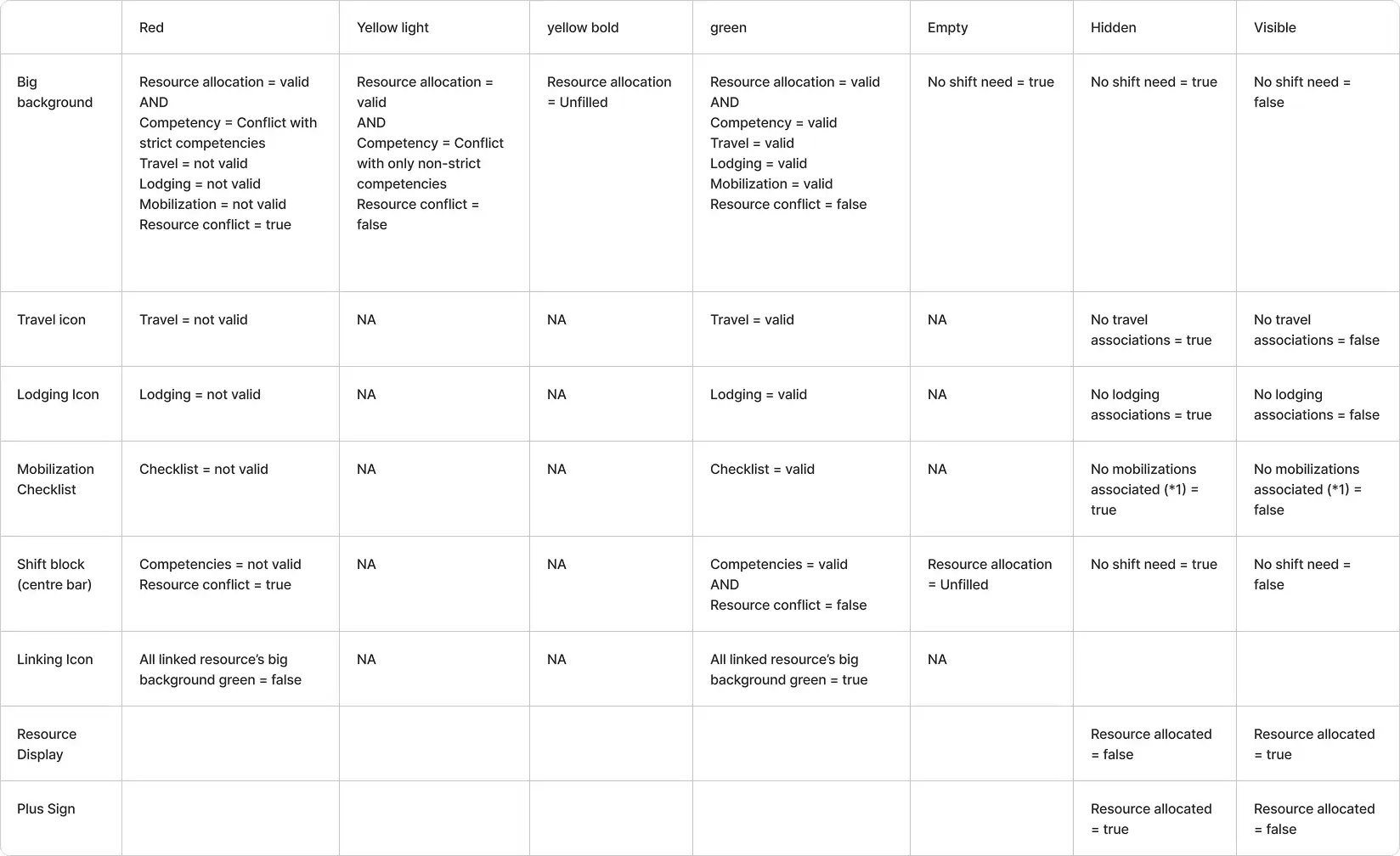
We used a colour-coded validation system so issues could be spotted instantly:
Grey: unassigned
Yellow: something missing
Red: an error that invalidates the allocationValidation worked hierarchically, surfacing errors at the lowest level and rolling them up to shift groups and needs. This directly supported our goal of ensuring compliance visibility, helping schedulers and safety coordinators see issues instantly. By combining drag-and-drop scheduling with hierarchical validation, we reduced the tedium of creating complex schedules while improving accuracy and compliance.
Shift Builder
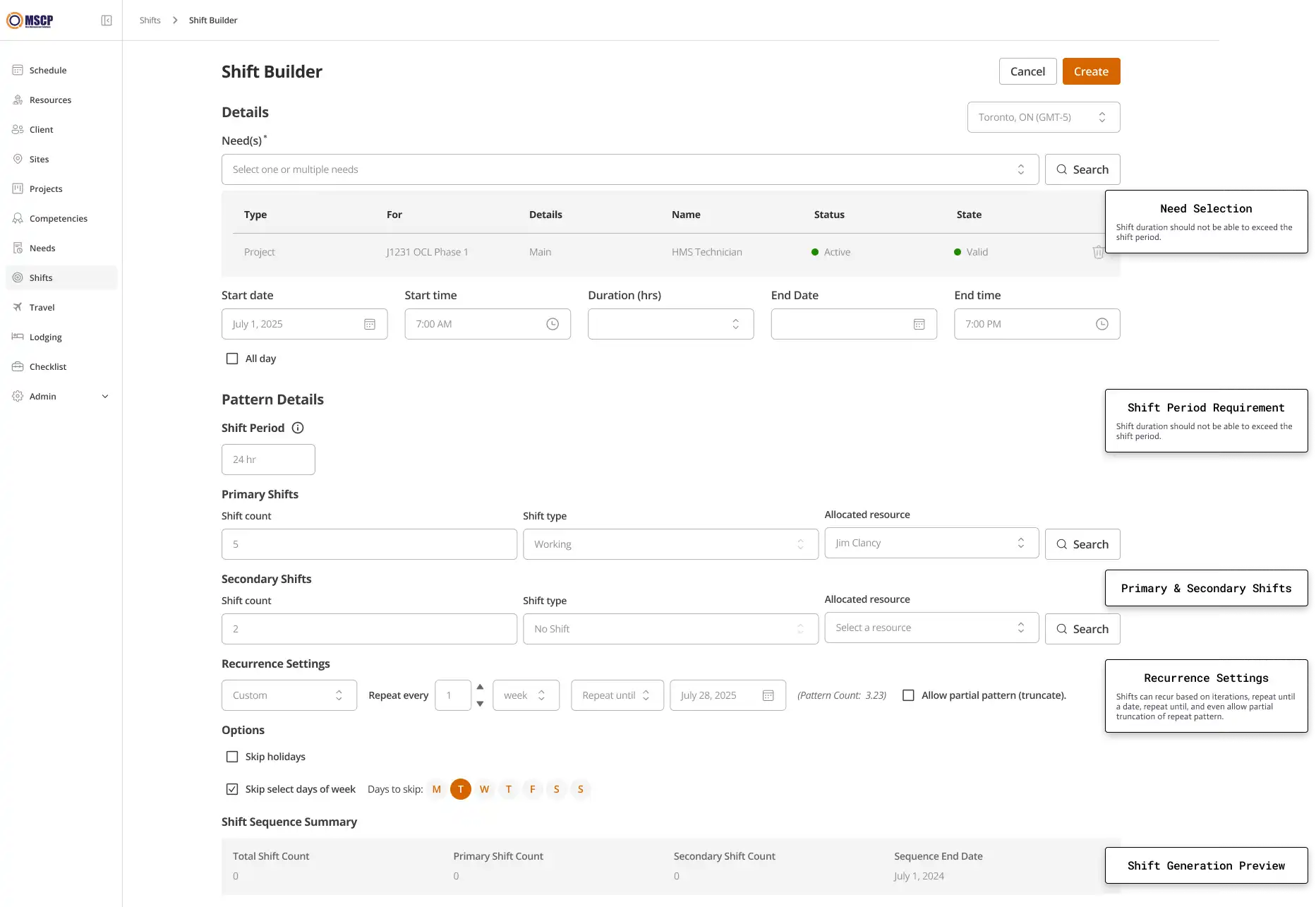
A major challenge was the Shift Builder. MSCP needed to create recurring shifts, secondary shift types, holiday exceptions, and custom ranges. I designed a progressive interface: schedulers could start with a simple shift, and only add complexity if needed. This directly supported our goal to simplify complex scheduling.
Design System
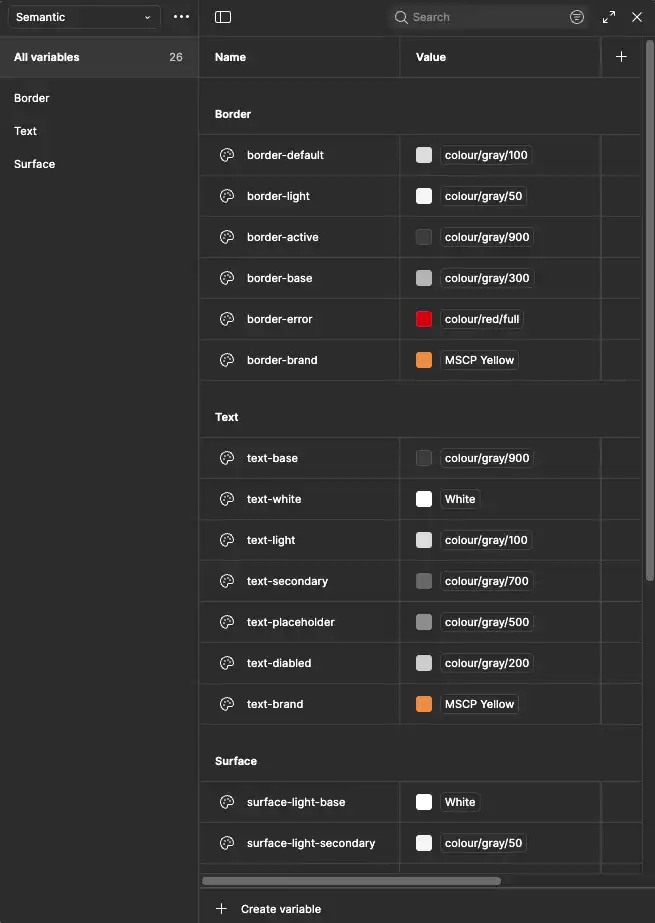
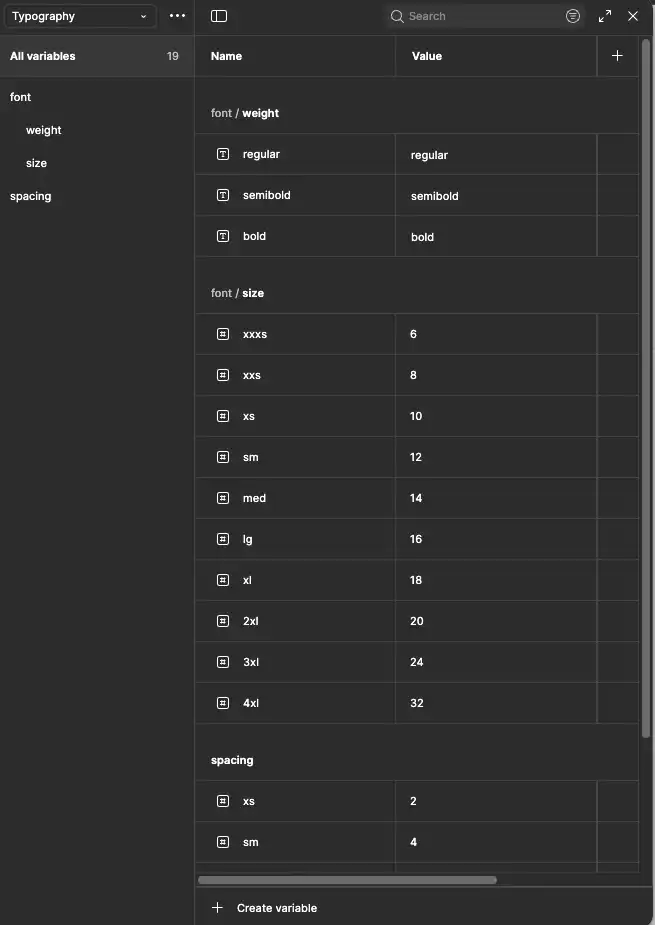
To keep design and development fast and consistent, we used the ShadCN UI kit as the base for our front-end components. I integrated these patterns into the design system in Figma, so developers could build directly from them. This reduced handoff friction and gave MSCP a system their internal team could continue to grow.

Handoff
Detailed handoff documentation in GitLab ensuring smooth design-to-dev transition.
Next Project: